
A few seconds of mistake while logging into the account can put your password, OTP, or personal information at risk. Especially when logging in from mobile by holding search results, social links, or shared URLs, it is not always easy to determine whether the page is genuine or not. So cv666 account safety It means not just a strong password; checking the login page, domain, redirect, recovery message, and credential request—everything combined.
This guide is created for Bangladeshi users who are looking for account access related to CV666 and want to proceed safely while avoiding fake pages or phishing prompts. No specific URL, app, payment method, or support channel is being referred to as verified here; rather, the main focus is on how to carefully verify before logging in.
Check the domain and page address before logging in
When you search for “cv666 login,” “cv666 account,” or similar terms, multiple results of the same kind may appear. Not all results are login pages, and not all pages can be assumed to be safe. Therefore, check the address bar with your own eyes before providing credentials.
What to check:
- Whether the domain spelling is unusual
- Whether there are extra words, numbers, symbols, or misspellings in the address
- Whether the page immediately redirects to another domain
- Whether it asks for deposit, bonus unlock, or verification fee before logging in
- Whether the page layout, buttons, language, or logo match your previous known experience
- Whether pop-ups are repeatedly pressuring to install apps or approve permissions
It is not right to feel assured just by seeing HTTPS or a lock icon. Many suspicious pages can also display a lock icon. So do not consider the lock icon as the only proof of security; observe the entire page behavior.
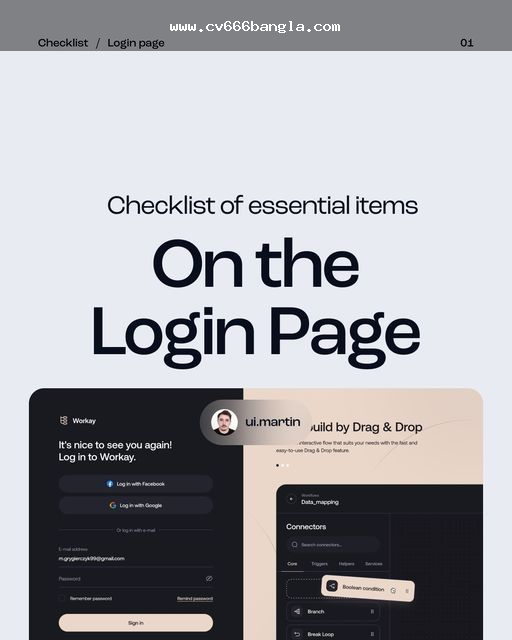
Quick checklist to recognize fake login pages
Entering a password on the wrong page creates a risk; trying repeatedly on the same page increases the risk further. If you see one or more of the signals below, it is better to stop logging in and verify again.
| What you are seeing | Why to be cautious |
|---|---|
| The URL keeps changing | The redirect chain may be a fake or tracking page |
| Asking for payment after providing the password | The account unlock or verification fee claim may be phishing. |
| Asking for OTP, PIN, or recovery code. | These credentials should be kept private. |
| “Asking to log in again to ”unlock bonus." | There may be attempts to obtain credentials through fake promotions. |
| Even after page reload, login is not happening. | There is a risk of credential capture page. |
| Support claims are coming from private inbox. | Providing information without verifying identity is not safe. |
Remember a simple rule: if the page seems suspicious, stop instead of thinking “I'll try again.” It is more important to ensure the page is correct before checking if the password is wrong.
If you want to know more precautions regarding cv666 account login, this guide may be relevant: What to check to avoid fake pages when logging into your cv666 account.।
Password and credential safety: the habits that are essential.
The biggest part of account safety is where you are giving credentials and how you are storing them. A strong password is needed, but using the same password on multiple sites or apps puts one account at risk, which also puts other accounts at risk.
Safe habits:
- Do not use the CV666 account password on other email, social media, wallet, or betting accounts.
- Do not include your name, birth date, mobile number, or easily guessable words in the password.
- If logging in from public Wi-Fi or a shared device, log out after finishing.
- If logging in on someone else's phone, do not keep “remember me” or auto-login enabled.
- Check if the device is locked before saving in the browser or password manager.
- Do not give OTP, PIN, password, device code, or recovery code to anyone.
- Do not share credentials if someone sends a private message posing as support, agent, or admin.
Using a password manager has another advantage: autofill often does not work if the domain is incorrect. This can be a helpful signal to identify a fake login page, although it should not be considered the only verification method.
If you cannot access your account, verify the recovery prompt.
Many people rely on a quick reset link, recovery message, or support claim when they cannot access their account. However, the risk of phishing may be higher during recovery, as users are under pressure at that time.
What you should do:
- When you see a reset or recovery page, first check the domain.
- Be cautious if you receive a reset message without requesting it yourself.
- Before clicking on an email or SMS link, check where the message came from.
- Before resetting your password, make sure you are not on a suspicious page.
- After resetting, if you use the old password elsewhere, change it there as well.
- “Do not provide your password or OTP if someone asks for it claiming ”manual unlock“ or ”urgent verification."
The important point here is: do not give credentials without confirming whether the recovery flow is genuine. Even if there is an access issue, it is not safe to rush and use an unfamiliar link.
Caution regarding mobile search, app prompts, and APKs.
Many users in Bangladesh access accounts from mobile browsers. The address bar is smaller on mobile, redirects can go unnoticed, and app install prompts or APK download claims are also seen more frequently. Therefore, extra caution is needed during mobile access.
What to pay attention to on mobile:
- If entering from search results, carefully check the address bar.
- Stop if you are suddenly asked to install an APK after opening the login page.
- Consider why app permissions for SMS, contacts, and file access are needed.
- Watch out for whether the browser is full-screen and hiding the address bar.
- If you create a home screen shortcut, ensure which page it was created from.
- Be cautious about the source before installing unknown APKs.
You can read more about distinguishing between mobile apps, APKs, and login pages: Looking for the cv666 Android app? Check this before installing.।
What to do when you see bonus, payment, or account unlock messages
Many phishing pages or misleading messages exploit user urgency. If you see language like “bonus unlock,” “VIP upgrade,” “free balance,” “account blocked,” “verification fee”—you should stop before providing credentials or money.
Warning signs:
- You are being asked to send money before logging in
- A fee is being requested to unlock the account
- You are being asked for a password, OTP, or PIN to claim a bonus
- Payment instructions are suddenly changing
- The same page sometimes shows login, sometimes wallet, sometimes app install prompts
- A person claiming to be support is pressuring you to make quick decisions in a private inbox
Whether for account access, bonus, or payment—credentials should never be given to unverified messages or unknown pages. It's good to keep your own record when making transactions, but sending money to the wrong page and then keeping a record does not reduce risk; verifying the page first is the main task.
Responsible use: security is not just technical
Account safety is also about controlling your own decisions. Under pressure, trying to recover losses, excitement from live matches, or seeing a big bonus can lead users to make quick wrong decisions. At that time, fake prompts, wrong links, or unusual payment requests can go unnoticed.
To keep yourself safe:
- Do not rush to log in or make payments.
- Do not increase your bet size repeatedly to recover losses.
- Avoid playing with borrowed money.
- Take breaks if using for a long time.
- Stop if gaming affects work, family, studies, or sleep.
- Be aware of age limits and local regulations.

If in doubt, verify before logging in.
The most effective rule for safe account access is to know when to pause. If the domain seems unusual, if a recovery prompt appears suddenly, if the password is requested repeatedly, if payment instructions change, or if pressured to install an app, pause before providing credentials again.
Maintain the same habits every time you use an account related to CV666: check the address, understand redirects, keep the password private, verify recovery messages, and if in doubt, stop logging in. Safe decisions are often not about quick access; rather, it's about checking first.
Before logging in, check for domain spelling, redirects, page layout, and any unusual password or OTP requests.
No. Fake pages can also have HTTPS. Check the domain, redirects, and page behavior alongside the lock icon.
Do not give anyone your OTP, password, PIN, or recovery code, especially if the request comes from a private message or an unknown link.
Before using a reset or recovery link, ensure that the request was made by you and that the page address is not suspicious.