
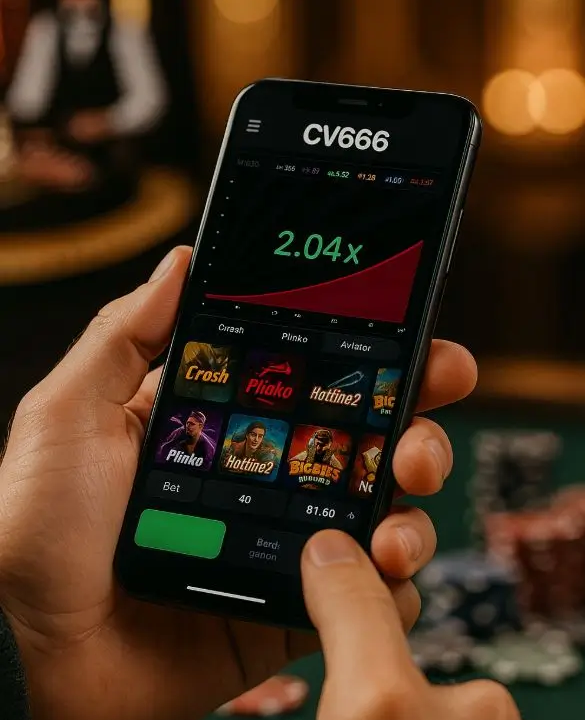
On mobile cv666 app Searching for the app download, APK, mobile login, or multiple webpages with the same name may yield results. However, based on current verifiable information, it is not safe to assume any specific official app, APK source, or login URL. Therefore, it is essential to verify the source, permissions, redirects, and signs of fake pages step by step before any download, installation, or sign-in.
A major confusion regarding mobile access on online betting or casino-type platforms arises in three areas: mobile site, native app, and APK fileOne should not assume that any page labeled “official” in search results is truly official.
Are you looking at an app, mobile site, or APK first?
Often, users may search for “app” but are actually using a mobile website. Some pages may open in the browser and show “Install” or “Add to Home Screen.” This can sometimes be a regular web shortcut or a misleading download funnel.
| Topic | Mobile site | Native app | APK file |
|---|---|---|---|
| Where does it go | In the browser | It gets installed on the phone | Separate installation file |
| How to obtain it | Via URL | If there is a verified source | It may also be on third-party sites |
| Main risks | Fake URL, phishing | Fake app listing | Modified or harmful files |
| What to verify | domain, HTTPS, login page | developer info, permissions | source, permission, redirect |
If the goal is just to log into the account, then verifying a browser-based mobile site may be a relatively low-risk path before installing an unknown APK. However, it is not right to use a mobile site without verification.
Questions to ask before viewing the CV666 app download page
Since no download link is inherently trustworthy, it is necessary to ask a few questions before downloading an app or APK.
- Where did the link come from—search result, social post, messaging group, or a verified channel?
- Is the spelling of the domain suspiciously close, such as having extra words, hyphens, or strange suffixes?
- Is there HTTPS? If not, one should avoid login or download.
- Is there a privacy policy, terms, support, or operator information?
- Does clicking the download button redirect to another domain?
- Does it ask for registration or payment information before installing the app?
Especially in searches related to betting/casino, multiple landing pages may use the same name. Just because a page says “fast login,” “instant bonus,” or “verified APK” does not mean it can be taken as true.

Verify permission and source before installing the APK
cv666 app apk In such searches, users typically look for the direct installation file. However, APKs are the most cautious area, as they can spread from sources outside the app store and may have multiple versions with the same name.
| APK Warning | Why it can be risky |
|---|---|
| Files from unknown sites | It is difficult to determine if the file has been altered |
| Additional permissions. | Contacts, SMS, storage, or location requests are suspicious if unnecessary |
| repeated redirects | Login information may lead to a phishing page |
| Browser popup as soon as the app opens | It may not be the main app, but rather an advertisement or fake funnel |
| uninstall is difficult | It may be a signal of harmful or coercive behavior |
At least check these before installing the APK:
- Can the source be verified through the current official channel?
- Is there an explanation for why a separate APK is being provided instead of from the store?
- What permissions are shown in the install prompt?
- Does the app have the same login page when opened, or does it change repeatedly?
- Does the app ask to enable notifications, overlays, or unknown services?
If the login page changes after installing any APK, redirects to another site, or sends unusual notifications, it is better to stop using it and check the device's security.
How to recognize a fake page before signing in on the mobile login page
For many, the real intention is not to download, but rather cv666 app login or to quickly access the account on mobile. But the login page is one of the most common places for phishing.
Pay attention before signing in:
- Is the URL spelled correctly, or is it a close imitation?
- Are there multiple redirects after the page loads?
- Is the browser showing a certificate warning?
- Is it asking for OTP, PIN, or additional personal information before providing username/password?
- “Is it creating pressure with claims like ”account blocked“, ”verify now“, ”last chance”?
- Is it claiming that login cannot be done without downloading?
If any login page forces you to make a quick decision by scaring you or tempting you with bonuses, then information should not be provided without verification. Even legitimate sites may have verification at times, but when unusual pressure, suspicious URLs, and excessive information requests are present together, the risk increases.
Signs of redirect, popup, and fake download button
Due to the small screen on mobile, fake download buttons or redirects are not easily detected. Especially when searching for apps or APKs, some pages quickly send users to other places.
The warning signs are:
- Repeatedly going from one domain to another
- “Clicking ”Download" opens an advertisement or an unknown page instead of the app
- Asking to allow browser notifications before login
- Asking to create a home screen shortcut without installing the app
- Pressuring registration by showing bonuses or instant access
- The back button is not working or brings you back to the same page
One should not proceed without reading the terms when seeing bonuses, free credits, or urgent verification. Especially if any page does not clarify the conditions before login, deposit, or providing personal data, it should be approached with caution.
What to do if you cannot find the app or it is not working
cv666 app not working, For issues like the app not opening or login errors, the specific cause cannot be confirmed without verifiable platform information. However, you can generally perform safe troubleshooting:
- If using an old bookmark, verify the URL again
- Clear the browser cache and check
- See if the mobile site opens with another secure network
- If the app is installed, check the permission and update status
- Avoid unknown mirror links or social media APKs
- If you see repeated errors, do not try to solve it by installing third-party APKs.
Attempting to forcefully launch a platform that shows unavailable from an unknown source is risky. Rather, it is safer to refrain from providing login, deposit, or personal information until the official source is verified.
Quick security checklist before installing or logging in
Using the checklist below will make it easier to avoid fake apps, phishing pages, or risky APKs:
- Check the spelling of the domain/link
- Do not log in if HTTPS is not present
- Check if there is a privacy policy and terms
- Be cautious if developer/operator information is unclear
- Cancel installation if unnecessary permissions are requested
- If the login page redirects, verify again
- Do not provide OTP, PIN, or payment info unnecessarily
- Avoid unknown APKs
- View pressure tactics like bonus, instant win, urgent verify with suspicion
- Do not trust any download link until the official source is verified
Rules for making safe decisions when searching for the cv666 app
It may seem easy to install an app or APK in a hurry to gain quick access on mobile, but without verification, it can pose risks to accounts, devices, and financial information. The safest decision is not to install, log in, or share information until a specific official download link, APK source, or login URL is confirmed through the current official channel.
Not all “apps” are actually apps, not all APKs are safe to install, and not all login pages are genuine. Verify the source first, then check permissions and redirects, and if in doubt, stop without signing in.
It is not safe to confirm any specific download link without a verifiable official source. Verify through the current official channel before using the link.
Unknown APKs can be risky. APKs should not be installed without verifying the source, permissions, redirects, and developer information.
Look for signs like URL spelling, HTTPS, redirect, certificate warning, and additional OTP/PIN requests. If in doubt, do not log in.
Verify the official source before searching for third-party APKs, check old bookmarks, and see if the mobile site opens safely.